This guide covers every on-page element that matters, what each one does, and how to approach it practically.
Most SEO advice treats Google like the only audience that matters. Write for the algorithm. Stuff the keyword. Chase the snippet. Chase the Google AI overview. Et cetera.
That framing is outdated. It doesn’t give better results in modern SEO. Your page has two audiences that both need to trust what they see: search engines (and AI assistants) that decide whether to surface your content, and real people who decide whether to read it, share it, or buy from it.
On-page SEO is the optimization you make directly on a page to satisfy both. Get it right and you improve rankings, attract more qualified clicks, and increase the odds of being cited in AI-generated answers. Get it wrong and you leave traffic on the table regardless of how many backlinks you earn.
On-page SEO is important because small changes to your page can have a big impact on its rankings, traffic, and visibility in AI.
This guide covers every on-page element that matters, what each one does, and how to approach it practically.
On-page SEO refers to optimizations made directly on a webpage to improve its visibility in search engines and AI assistants. That includes what you write, how you structure it, and how you present it technically.
It sits alongside two other categories:
On-page SEO is what you control most directly, and it interacts with both. A page with strong on-page signals will extract more value from the backlinks it earns. A technically sound site amplifies the on-page work you do on individual pages.
On-page SEO is like icing on a cake. To get the most from it, you need helpful, accurate content that matches the keyword intent you’re targeting.
Search engines have changed dramatically, but on-page SEO has not become less important. If anything, it covers more ground now.
AI assistants like ChatGPT, Perplexity, and Google's AI Overviews pull from web content to generate their answers. They evaluate title tags, meta descriptions, URL structure, content depth, and page authority to decide what to cite. These are all on-page factors.
A well-optimized page is easier for both search crawlers and large language models to understand and recommend. The tactics below apply to both.
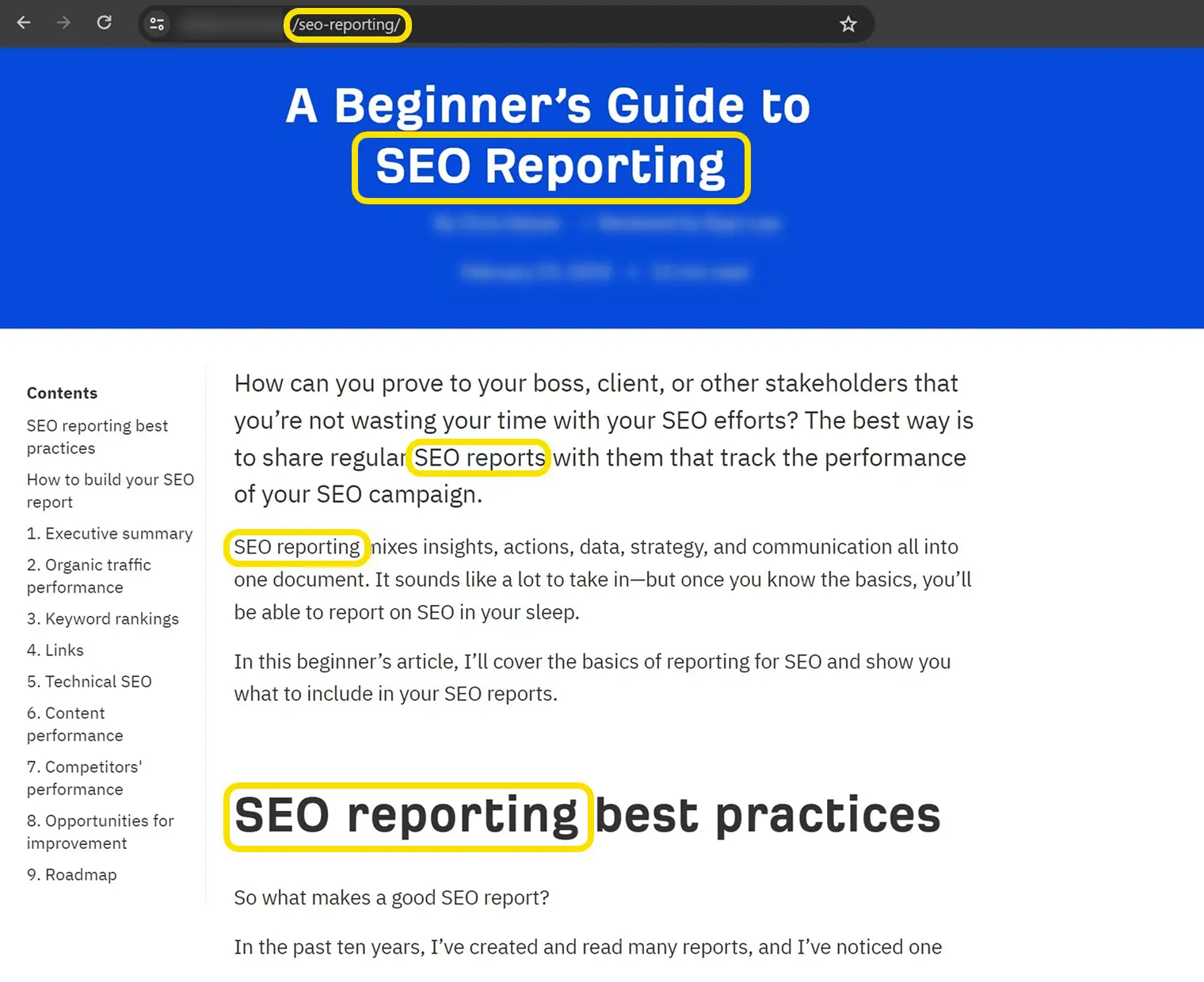
Search engines use your keyword placement to confirm what a page is about. AI models use it to map your content to user queries. Neither approach works well if the keyword is buried or missing from the places they check first.
Place your primary keyword in these locations:
Beyond the primary keyword, cover related concepts and questions your readers would naturally expect the page to address. Search engines now understand topical relationships, and AI models use a process called query fan-out, where a single search generates a cluster of related sub-questions to answer. Pages that address the topic broadly tend to get cited more often.
This does not mean writing more words for the sake of it. It means ensuring that the topics closely related to your primary keyword appear naturally throughout the page.
Header tags (H1 through H6) serve two purposes: they tell search engines how your content is organized, and they help readers scan and navigate.
A clean header structure looks like this:

Avoid skipping levels (jumping from H2 to H4) and avoid stuffing keywords into every heading. Write headers that describe what the section actually covers.
Good heading structure has an added benefit for AI visibility. AI models that interpret your content for inclusion in AI Overviews or chat responses use your heading hierarchy to understand how information is organized. A clear structure makes it easier for them to extract and reuse specific sections.
If you want to rank, write a compelling title tag.
The title tag is the text that appears as the clickable headline in search results. It is one of the first things a searcher reads when deciding which result to open, and one of the signals Google uses to understand your page.
A few practical rules:
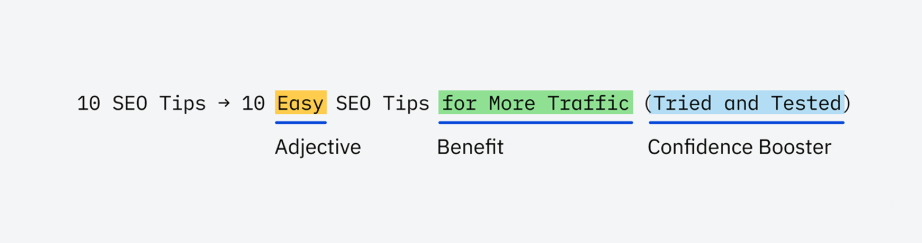
Google rewrites title tags more often than many SEO practitioners realize, especially when the original title is misleading or poorly matched to the query. Writing a clear, accurate title reduces the likelihood of rewrites and keeps your intended framing in search results.
For AI visibility specifically, your title tag is one of the first signals ChatGPT and similar tools evaluate when selecting sources to cite. A well-written title that matches what the user is asking increases the chance your page gets referenced.
Your meta description is the first content line. Write an engaging meta description.
Meta descriptions are not a direct ranking factor. Google confirms this. But they influence whether someone clicks your result, and Google uses them in the search snippet roughly a third of the time.
The rest of the time, Google pulls text from elsewhere on your page that it considers more relevant to the query. This means a useful meta description still matters: it controls your message when Google chooses to use it, and a well-written one sets reader expectations accurately.
Write meta descriptions that:
Meta descriptions are also among the first pieces of information AI assistants evaluate when deciding which source to cite in a response. A clear, relevant description increases your odds of being selected.
Your content will rank if you set SEO-friendly URLs.
Your URL appears in search results alongside your title and meta description. Searchers use it to assess relevance before they click. Search engines use it to understand page context.
It’s helpful to use a short, descriptive URL structure highlighting the core topic of the page. As Google explains in its SEO starter guide:
"Parts of the URL can be displayed in search results as breadcrumbs, so users can also use the URLs to understand whether a result will be useful for them."
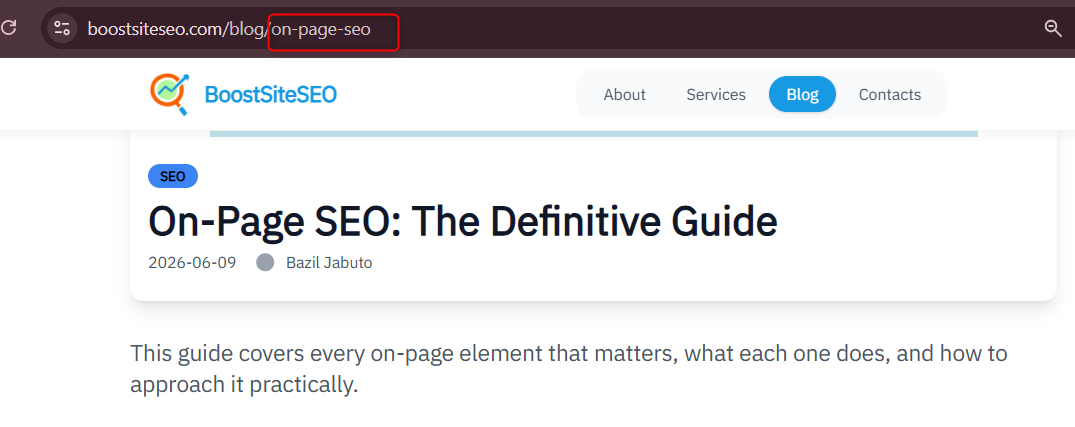
The best practice is straightforward: use your target keyword as the URL slug and keep everything else brief.
Good: yourdomain.com/blog/on-page-seo
Avoid: yourdomain.com/2026/04/12/article-id-4490?cat=seo
A few additional guidelines:
We recommend using your target keyword as the URL slug, like we do throughout the Ahrefs blog.
Once a URL is indexed and ranking, changing it requires a 301 redirect. Get it right the first time to avoid the hassle.
Internal linking is important to connect pages, but they need to be relevant.
So, add internal links in useful places.
Internal links connect pages within your site. They help visitors find related content, help search engines discover and understand the relationship between pages, and distribute link authority across your site.
When adding internal links:
One practical method: use Google's site: search operator to find pages on your site that already mention your target keyword. Search site:yourdomain.com "keyword" and you'll see every indexed page where the term appears. Those are your internal linking candidates.
Internal links also help AI crawlers map your site's topical architecture, which can improve how AI models understand what your site covers as a whole.
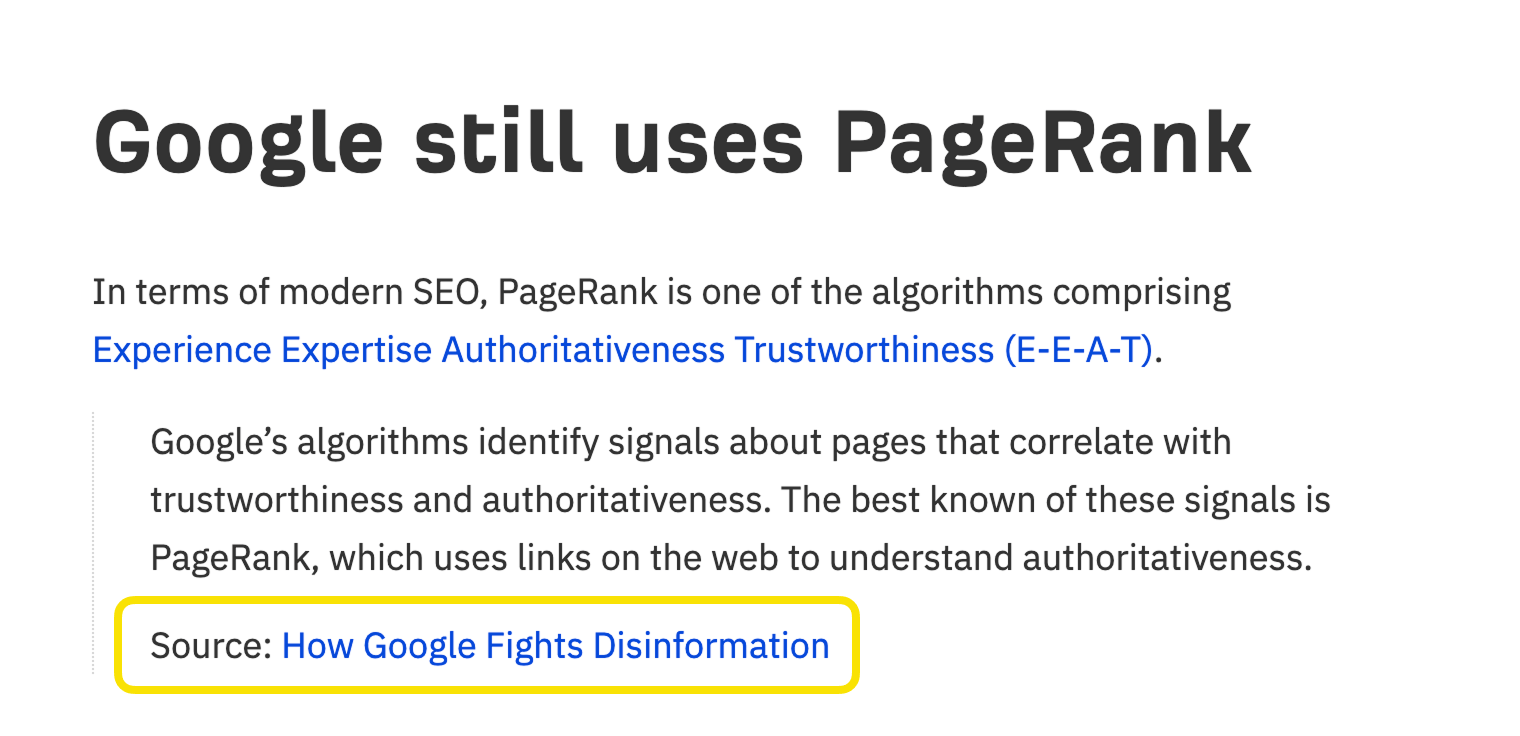
Google has stated publicly that linking to other quality websites is a good practice.
Google says, “linking to other websites is a great way to provide value to your users.”
It builds trust with readers, provides proper attribution when you reference data or research, and signals that your page exists within a broader conversation rather than in isolation.
Link to primary sources when you make factual claims: government publications, peer-reviewed research, official documentation, reputable industry reporting. Avoid linking to direct competitors, but do not treat external links as something to avoid.
One maintenance task worth scheduling: external links break over time as pages move or get deleted. A broken external link creates a dead end for readers and can be caught with a regular site audit.
Images contribute to on-page SEO in three ways: they can rank in Google Image Search, they appear in AI-powered search results, and they affect page load speed.
Three things to get right:
File names: Use descriptive filenames. Name your images descriptively before uploading them. espresso-extraction-guide.jpg gives search engines useful context. IMG_004812.jpg gives them nothing.
Alt text: Use descriptive alt text. Alt text is an HTML attribute that describes an image for screen readers and search engines. Write alt text that describes what the image actually shows, includes your keyword where it fits naturally, and stays concise. Avoid keyword stuffing in alt text.
File size: Compress your images. Large image files slow down page load times, which affects both user experience and Core Web Vitals scores. Compress images before uploading and use modern formats where supported.
A content gap is a topic or question that competing pages answer but yours does not. These gaps matter because:
To find your content gaps, read the top-ranking pages for your target keyword carefully. Note the sections they include that you do not. Pay attention to the questions they answer in their FAQs or subheadings. Look at the People Also Ask questions in the search results.
Then consider whether those missing topics are things your target reader would genuinely want to know. If yes, add them.
This is not about making your article longer. It is about making it more complete.
Google's quality rater guidelines ask evaluators to assess content on four dimensions: expertise, experience, authoritativeness, and trustworthiness (commonly abbreviated as E-E-A-T). These guidelines shape what Google's systems aim to reward, particularly for topics where getting the wrong information carries real consequences.
Practical ways to demonstrate E-E-A-T:
For AI visibility, E-E-A-T signals also matter. AI models that generate responses with citations tend to favor authoritative sources with clear author information and verifiable expertise.
Featured snippets, AI Overviews, and similar features pull answers directly from web pages and display them without requiring a click. This is called zero-click search, and it has reduced organic traffic for many informational queries.
However, appearing in these features still builds brand visibility and can drive clicks from users who want more than a quick answer.
There is no guaranteed method for winning a featured snippet or AI Overview citation. Ranking well for the underlying query remains the most reliable path. But a few content patterns improve your odds:
Studying which pages get cited for your target queries and looking at how they format their answers gives you a template to follow.
Schema markup is structured code added to a page to help search engines understand its content more precisely. It does not change what the page looks like to human visitors, but it enables richer search result formats: star ratings, step-by-step instructions, FAQ accordions, event dates, and more.
Google and Microsoft have both confirmed that structured data helps AI systems interpret page content accurately.
Useful schema types for most content:
Schema markup can be added manually, through a CMS plugin, or with the help of a structured data generator. Google's Rich Results Test lets you validate your markup before publishing.
Google uses how people interact with your pages as a ranking signal. Pages that load slowly, shift around visually, or break on mobile devices perform worse, both in rankings and in the experience they deliver to real visitors.
The core technical signals Google evaluates are called Core Web Vitals:
Beyond these metrics, a few practical UX improvements contribute to on-page SEO:
AI systems also prefer well-structured, readable content. Clean formatting is not just for readers.
On-page changes need to be tracked. Otherwise you are optimizing without feedback.
After making changes, monitor:
Google Search Console provides ranking and click data at no cost. For deeper engagement metrics and AI visibility tracking, tools like rank trackers and brand monitoring platforms fill the gap.
Small on-page changes often produce results within a few weeks. Larger content overhauls can take longer. Tracking gives you the signal to know whether to hold course or iterate.
Before publishing (or republishing) any page, confirm the following:
On-page SEO is not a one-time task. Pages that rank well today may slip if they stop being updated, if competitors improve their content, or if the intent behind a keyword shifts.
The fundamentals above have remained consistent for years: match what your reader is searching for, make your content easy to read and understand, signal your expertise, and remove technical barriers that stop search engines from accessing and evaluating your pages.
The new layer is AI visibility. The same practices that help you rank in Google also make it more likely that AI assistants cite your content in their responses. That is not a coincidence. Both reward clear, authoritative, well-structured content that actually answers the question being asked.
Start with the highest-impact changes: title tags, heading structure, keyword placement, and content gaps. Then work through the rest systematically, track your results, and refine over time.
If your pages are not ranking where they should, the problem is usually hiding in plain sight: a title tag that misses intent, a content gap your competitor already filled, a technical issue quietly blocking crawlers. BoostSite SEO runs a full audit of your site and builds a clear, prioritized plan to fix what is holding you back.
